

 Phoenix 24
Visibility creates convenience, but also unnecessary financial exposure.
Bogotá | July 2026
Removing a banking application from a phone’s home screen and placing it inside a protected or hidden folder can make unauthorized access more difficult if the device is lost, stolen or temporarily handled by another person. The measure does not replace passwords or biometric authentication, but it can add friction between an intruder and the user’s financial information.
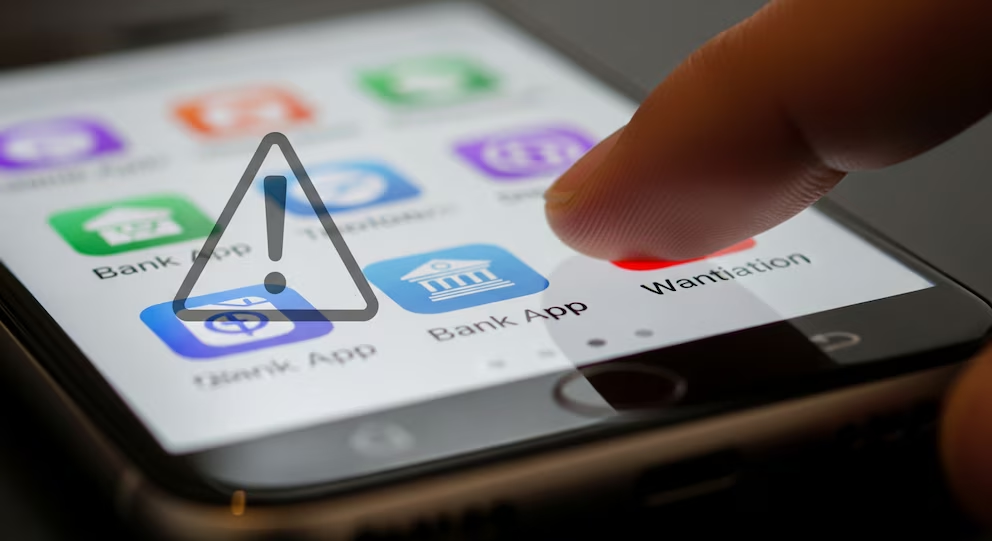
Infobae recommends moving banking applications away from the most visible area of the device and storing them in spaces designed for greater privacy. Modern Android phones and iPhones include tools that can conceal applications, restrict their use or require an additional identity check before they are opened.
The home screen normally contains the applications used most frequently. That arrangement improves convenience, but it also immediately reveals which banks, digital wallets, investment platforms or payment services belong to the device owner.

A criminal who obtains an unlocked phone may quickly identify the user’s financial institutions and attempt to access them before the device is remotely blocked. Even when the banking application requires a password, its visible presence gives the attacker useful information for social engineering, impersonation or targeted phishing.
Moving the icon does not erase the application or its data. On many Android devices, the user can simply remove the shortcut from the home screen while keeping the application available inside the complete app drawer. This basic change reduces immediate visibility but does not prevent someone familiar with the operating system from finding it.
A stronger alternative is placing sensitive applications inside a secure folder or private space. Depending on the manufacturer and operating-system version, this area may require a separate password, fingerprint or facial recognition before displaying its contents.
Some Android devices offer features identified as Secure Folder, Private Space, App Lock or Hidden Apps. Their names and capabilities vary, but the objective is similar: separating sensitive applications from the ordinary interface and adding another authentication barrier.
On an iPhone, users can remove an application from the home screen while keeping it in the App Library. Newer versions of the operating system also allow compatible applications to be hidden and placed inside a protected folder that requires Face ID, Touch ID or the device passcode.
These functions are most useful when they conceal both the icon and potentially sensitive notifications. An application hidden from view offers limited protection if transaction amounts, verification codes or account alerts continue appearing on the lock screen.
Notification settings should therefore be reviewed individually. Banking alerts remain valuable because they help users detect unauthorized activity, but their content can be configured so that details appear only after the phone has been unlocked.
The strategy is particularly relevant when a phone is taken while already unlocked. Street theft can occur while a person is using navigation, messaging or transportation applications, giving the offender immediate access to the active session.
In those circumstances, the time required to locate a hidden banking application, unlock a protected folder and overcome a second authentication method may allow the owner to contact the bank, block the device or activate remote security controls.
However, hiding an application must not create a false sense of security. The most important protection remains a strong screen-lock method. A long passcode or alphanumeric password generally provides greater resistance than simple patterns, short numeric combinations or easily guessed personal dates.
Biometric access adds convenience, but the underlying passcode remains critical because it can unlock the device when fingerprint or facial recognition is unavailable. Users should avoid sharing that code or entering it where other people can observe it.
Banking applications should also maintain their own authentication requirements. A phone being unlocked should not automatically provide access to account balances, transfers or card-management functions.
Multi-factor authentication adds another defensive layer by requiring an additional verification element. This may involve a banking token, authenticator application, registered device confirmation or another method established by the financial institution.
SMS codes remain widely used, although they can be vulnerable when criminals fraudulently transfer a victim’s phone number to another SIM card. Where available, in-app confirmation or authenticator-based methods may offer stronger protection.
A SIM PIN can also help prevent unauthorized use of the mobile line after the physical card is removed from the device. Without this protection, a thief may place the SIM in another phone and attempt to receive recovery messages or verification codes.
Users should activate remote location, locking and deletion services before an incident occurs. These functions can help secure a lost phone, but they are effective only when previously configured and when the device still has a network connection.
Banking customers should also know how to contact their financial institutions quickly. Keeping emergency numbers somewhere outside the phone can save valuable time when cards, accounts or digital-banking access must be blocked.
Public Wi-Fi networks introduce another category of risk. Financial operations should preferably be completed through trusted mobile data or secure private connections, particularly when the network’s ownership and configuration are unknown.
Applications must be downloaded only from official stores and verified carefully before installation. Fraudulent programs can imitate banking interfaces, capture credentials or persuade users to authorize transfers through deceptive screens.
Software updates are equally important because they correct vulnerabilities affecting the operating system and installed applications. Delaying updates can leave the device exposed to weaknesses already known to attackers.
The greatest danger often comes not from technical intrusion but from manipulation. Criminals may call or send messages claiming that an account is under attack and that the victim must urgently share a code, install an application or transfer money to a supposedly secure account.
No legitimate protection measure requires surrendering passwords, verification codes or remote control of the device to an unsolicited caller. Urgency, fear and authority are frequently used to prevent the victim from verifying the story independently.
Removing a banking application from the home screen is therefore a useful but limited precaution. It does not make the application invisible to a determined attacker, and it cannot compensate for an unlocked device, weak credentials or careless authorization of transactions.
Its value comes from creating layered security. Each additional obstacle increases the time, knowledge and effort required to reach the account.
Financial protection on a smartphone does not depend on a single setting. It emerges from combining hidden applications, strong authentication, controlled notifications, updated software and rapid response when the device disappears.
Phoenix24 | Digital security is strongest when small barriers work together. La seguridad digital es más fuerte cuando pequeñas barreras trabajan juntas.