

 Phoenix 24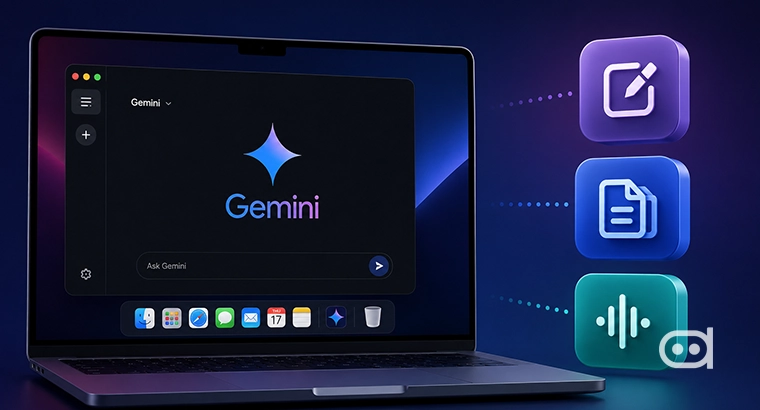
Google wants artificial intelligence to understand both speech and screen context.
Mountain View, June 2026
Google is developing new desktop features for Gemini that could reduce users’ dependence on the keyboard and mouse during everyday computer tasks. Experimental versions of Gemini Desktop for macOS reportedly include an advanced voice-control system and an intelligent pointer capable of identifying what the user is referencing on screen. Together, the tools would allow people to speak instructions while Gemini interprets the active application, document, image or webpage. The project reflects Google’s broader effort to transform Gemini from a separate chatbot into an assistant embedded throughout the desktop experience.
The first feature, known as Speak to Window, is designed to activate Gemini from almost any open application. Users would hold down the Mac’s function key and dictate a request without switching to a separate chat window or typing a prompt manually. Gemini could then help draft an email, summarize text, review a document, generate content or create an image. The important difference is that the system would understand the context of the window being used when the command is given.
Traditional speech-recognition software mainly converts spoken words into text. Speak to Window is intended to go further by combining the command with information already visible on the screen. A user might open a lengthy report and ask Gemini to identify its main conclusions without copying the document into another application. Someone writing an email could request a more formal tone while remaining inside the same composition window.
This contextual approach could make voice interaction significantly more useful. Human instructions often depend on expressions such as “summarize this,” “change that paragraph” or “explain the image on the right.” Those commands make sense to another person who can see the screen, but they are difficult for an assistant that receives only spoken language. Gemini’s desktop tools are being developed to close that gap.
The second experimental feature is called Magic Pointer. It would allow Gemini to follow cursor movements and determine which element the user is indicating. Rather than describing a specific paragraph, photograph, button or chart in detail, the person could move the cursor around it while giving a verbal instruction. Gemini would use the pointer position as an additional layer of context.
In practice, a user could circle part of a webpage and ask for an explanation, point toward a table and request a comparison or highlight an image that needs modification. The system might also summarize selected content or generate information related to the indicated area. This interaction resembles the way people communicate while sharing a physical workspace, combining speech with gestures to clarify meaning.
Magic Pointer does not eliminate the mouse completely because it still relies on cursor movement. Its purpose is to make the pointer more meaningful to the artificial intelligence. The mouse would no longer serve only as a tool for clicking buttons or selecting text. It would also become a visual signal that helps Gemini understand exactly where the user’s attention is focused.
The combination of voice commands and visual reference could be particularly valuable for creative and professional work. Designers might point to an element in an image and request a change without navigating through multiple editing menus. Analysts could indicate a section of a spreadsheet and ask for an interpretation. Students could select a diagram and request a simpler explanation while keeping the original material visible.
Accessibility is another potential advantage. Users with motor impairments, repetitive strain injuries or difficulty typing may benefit from completing more tasks through speech. Voice interaction could also simplify computer use for people who are less familiar with complex software interfaces. However, accessibility benefits will depend on reliability, language support and whether commands can be executed consistently across different applications.
The features also raise important privacy questions. An assistant capable of interpreting the active window and following cursor movements may gain access to sensitive information displayed on screen. Emails, financial records, private messages and confidential work documents could become part of the context analyzed by the system. Google will need to explain clearly what information is processed, where it is stored and whether users can restrict access for particular applications.
Security controls will be equally important if Gemini eventually gains the ability to perform actions rather than merely provide suggestions. An assistant that can modify documents, send messages or control applications must distinguish accurately between intended and accidental commands. It must also resist malicious instructions embedded inside webpages or files. The transition from observing the screen to acting on it creates a much higher level of responsibility.
A third experimental function has reportedly appeared in the desktop application’s code, although its purpose remains uncertain. References suggest that it may involve image and video generation or connections between multiple Mac computers running Gemini Desktop. Some observers have speculated that it could eventually support remote interaction between devices through the assistant. Google has not confirmed that interpretation.
None of the tools has received an official public release date. They were identified in preliminary versions of Gemini Desktop for macOS and may change substantially before launch. Experimental code does not guarantee that every feature will reach users. Google could revise, delay or remove the functions after internal testing.
The company is competing within a broader industry movement toward artificial intelligence that understands computer interfaces directly. Microsoft, Apple and several AI developers are working on systems that can observe applications, interpret visual content and automate multistep tasks. The traditional chatbot model is gradually evolving into an agent capable of operating within the user’s digital environment.
Gemini is therefore unlikely to make the keyboard and mouse obsolete in the immediate future. Typing remains faster and more precise for many professional tasks, while manual control is essential when accuracy matters. Voice can also be impractical in shared offices, public spaces or situations involving confidential information. The new tools are better understood as alternative forms of interaction rather than complete replacements.
Their significance lies in the possibility of combining several communication methods at once. A person could speak, point and allow Gemini to interpret what is visible without repeatedly copying information between applications. That would make the assistant feel less like a website and more like a collaborator present throughout the operating system. The desktop may still retain its keyboard and mouse, but artificial intelligence is beginning to understand the intentions behind how people use them.
La interfaz también aprende a interpretar. / The interface is also learning to interpret.