

 Phoenix 24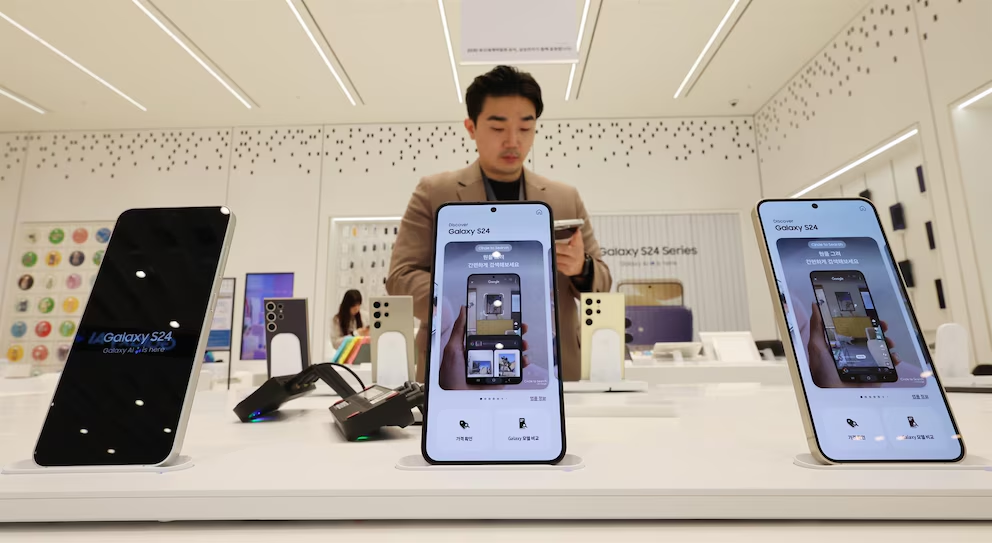
Artificial intelligence does not have to control the entire phone.
SEOUL, South Korea | June 2026
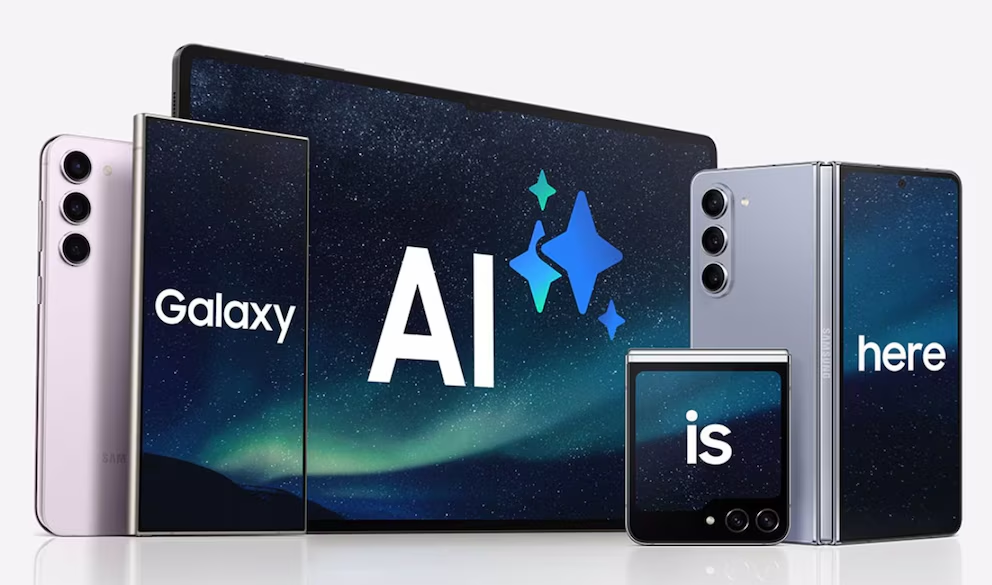
Samsung Galaxy smartphones increasingly integrate artificial intelligence into calls, writing, photography, translation, browsing and personal recommendations, but users are not required to keep every tool active. The company allows owners of compatible devices to review Galaxy AI functions individually and decide which ones remain enabled. This control is important because some people value automation and productivity, while others prioritize privacy, battery use or a simpler interface. The available options can vary according to the Galaxy model, software version and region.
The main control center is located inside the phone’s Settings application. On newer devices, users can open Settings and select Galaxy AI to see the intelligence tools installed on the phone. Some models place the same menu under Advanced features, where it may appear as Galaxy AI, Intelligent features or Awesome Intelligence. Each category opens a separate group of controls rather than relying on a single universal switch.

This structure allows users to keep useful functions while disabling those they do not need. Call Assist, for example, may include live translation or other AI-supported communication tools. Writing Assist can help rewrite, summarize or adjust text, while Interpreter offers real-time language support during conversations. Note Assist and Transcript Assist can organize documents or convert recordings into text, but each tool can be reviewed and deactivated separately.
Photography and image editing contain some of the most visible Galaxy AI features. Photo Assist can support generative editing, object removal, image expansion, portrait effects or creative transformations, depending on the device. Users who prefer conventional editing can enter the relevant menu and turn off the associated functions. Some categories contain several individual options, so disabling one feature does not necessarily remove every AI tool connected to the Gallery application.
Samsung also integrates intelligence into browsing and information management. Browsing Assist may summarize or translate web content, while certain models offer notification summaries, personalized recommendations or daily information panels. These services can be useful for people managing large amounts of content, but they may feel unnecessary or intrusive to others. Reviewing each function individually provides more precise control than disabling all intelligent services without distinction.
Privacy is one of the main reasons users may want to adjust Galaxy AI. Some functions process information directly on the smartphone, while others require cloud servers because their computational demands exceed what the device can perform locally. Compatible Galaxy phones may include an option labeled Process data only on device. Activating it restricts supported AI tasks to local processing and reduces the amount of information sent outside the phone.
On-device processing offers greater privacy, but it also involves trade-offs. Certain functions may become unavailable, work more slowly or support fewer languages when they cannot access cloud infrastructure. Generative image tools and more complex text operations may require online processing to deliver their full capabilities. Samsung generally warns users when enabling local-only processing will limit a specific service.
People seeking to deactivate Galaxy AI entirely must normally enter each category and turn off its controls manually. Samsung does not provide one master switch on every model capable of disabling every intelligence feature simultaneously. The process can therefore require checking Call Assist, Writing Assist, Interpreter, Notes, Voice Recorder, Samsung Internet, Gallery and other supported applications. A systematic review is more reliable than assuming one disabled setting has removed all AI activity.
Personalized services may require additional attention because they do not always appear in the same menu as editing or translation tools. Features such as Now Brief, Now Nudge or other context-based recommendations may rely on personal data intelligence to identify relevant information. Users can review their Galaxy AI and privacy settings to determine whether these services are active. Turning off personalization may reduce automated suggestions while leaving unrelated tools, such as photo editing or translation, available.
The Samsung account also influences the experience. Some advanced Galaxy AI functions require the user to sign in because they depend on account-based services, cloud processing or synchronization across devices. Signing out or restricting account permissions may reduce access to certain tools, but it is not always equivalent to disabling every feature. The most effective approach is to inspect the AI menu and the privacy controls directly.
Device compatibility remains an important limitation. A feature listed in online guides may not appear on every Galaxy phone because Samsung distributes AI capabilities according to hardware, software generation and market availability. Newer premium models generally receive the broadest range of functions, while older devices may support only selected tools after a One UI update. Some menus can also change names as Samsung modifies its interface.
Updates may introduce additional AI controls without automatically matching the user’s previous preferences. After installing a major One UI version, it is advisable to review the Galaxy AI section again and confirm which services remain active. New features may appear inside existing categories or as independent options. This periodic review is especially relevant for users with strict privacy requirements.
The decision should be based on actual use rather than fear or enthusiasm alone. Live translation may be valuable for travelers, while transcription can save time for students and professionals. Generative photo editing may appeal to creative users but offer little benefit to someone who wants an uncomplicated camera. Selective activation allows the phone to remain useful without forcing the owner to accept every available form of automation.
Samsung’s approach reflects a broader shift in mobile technology. Artificial intelligence is becoming embedded across operating systems rather than appearing as a single application that can simply be deleted. User control therefore depends on transparent menus, granular permissions and clear explanations of where data is processed. The practical objective is not necessarily to reject AI, but to decide consciously which tasks deserve access to it.
Phoenix24: inteligencia para audiencias libres. / Phoenix24: intelligence for free audiences.