

 Phoenix 24
Internal contacts can expose faults when the connector changes orientation.
GLOBAL — June 2026. USB-C has become the standard connector for phones, computers, tablets and many accessories because its reversible design allows users to insert the plug in either direction. That convenience has encouraged the belief that both orientations are mechanically and electrically identical. In normal conditions, the system is designed to deliver the same result, but its internal architecture means that different contacts are used depending on how the plug is inserted.
A USB-C receptacle contains 24 contacts assigned to functions including electrical power, data transmission, device communication and orientation detection. When the connector is flipped, the equipment identifies its position and routes the required signals through the corresponding contact paths. This automatic reconfiguration is what makes the plug reversible without requiring the user to locate a designated upper or lower side.
The distinction is important because physical symmetry does not mean that every internal contact performs exactly the same task in both orientations. The connector contains mirrored groups of pins so that essential functions remain available after it is reversed. Under proper operating conditions, the device manages those connections automatically and users should not perceive any meaningful difference in charging or data-transfer performance.
Problems can emerge when a contact is dirty, damaged, corroded or affected by a manufacturing defect. A compromised pin may participate in one orientation but not in the other, producing different results after the plug is flipped. A device may charge slowly, disconnect intermittently or fail to reach its maximum data speed until the cable is removed and inserted in the opposite direction.
This behavior does not mean that USB-C was intentionally designed with a faster side and a slower side. It indicates that one of the electrical paths may not be functioning correctly. Certified USB-C products should operate as expected regardless of which way the connector is inserted.
Reversing the cable can therefore serve as a basic diagnostic test. When a charging or data problem disappears after the connector is turned over, the change may reveal contamination or damage affecting a specific contact. Users should then inspect both ends of the cable and the device’s port rather than treating the reversed orientation as a permanent solution.
Dust and compacted debris are common causes of poor USB-C connections, especially in smartphones carried inside pockets or bags. Material accumulating inside the port may prevent the plug from entering completely or maintaining reliable contact with every pin. Cleaning should be performed carefully, without metal objects or excessive force that could bend the delicate components inside the receptacle.
The cable itself can also be responsible for inconsistent results. Internal wires may weaken near the connector after repeated bending, while low-quality manufacturing can produce unreliable solder joints or inadequate shielding. Damage is not always visible from the outside, which is why testing the device with another compatible cable and charger is often the simplest way to isolate the problem.
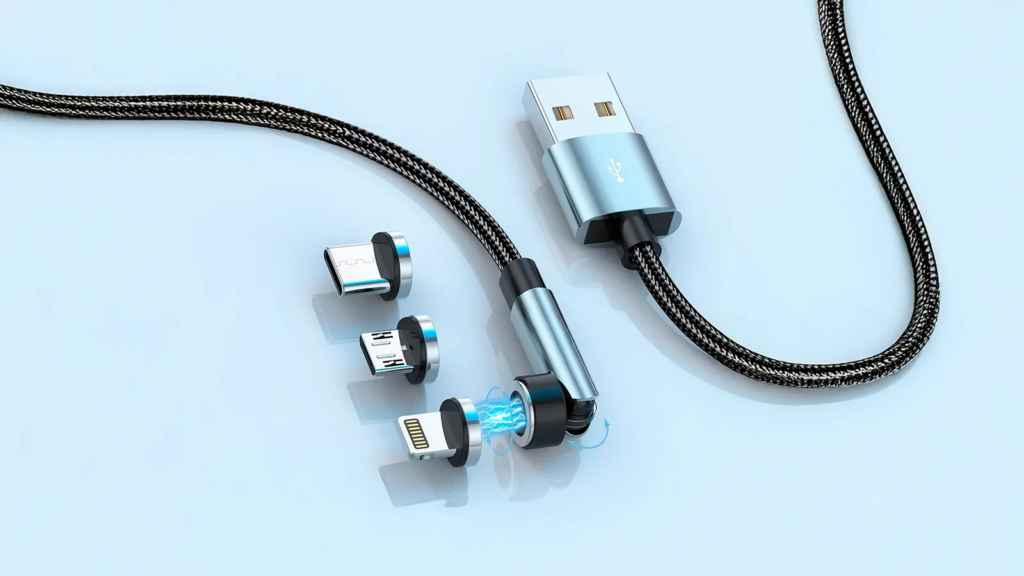
Not every USB-C cable offers the same capabilities, even when the connectors look identical. Depending on its design and certification, a cable may support only basic data speeds or provide higher performance through more advanced USB standards. Power capacity also varies, with certified cables commonly identified according to the wattage and data rate they can safely support.
Some full-featured cables contain an electronic marker, commonly called an eMarker, that communicates their capabilities to connected devices. This component helps the charger and equipment determine supported power levels, data functions and other characteristics. The presence of a USB-C connector alone does not guarantee high-speed data, maximum charging output or support for video and other alternate modes.
The charging process also depends on more than the cable’s orientation. The charger, device, cable and supported power-delivery profile must work together to negotiate an appropriate voltage and current. A high-powered adapter cannot automatically deliver its maximum output through a cable or device that supports a lower limit, while a damaged contact can interfere with the communication required for that negotiation.
Data transfers involve similar dependencies. Achieving the maximum advertised speed requires a compatible port at both ends, an appropriate cable and devices capable of using the same USB standard. A cable designed mainly for charging may operate normally for power while transferring files slowly, creating the impression of a fault even though it is functioning within its intended specification.
Users who experience different results after flipping a connector should first disconnect the equipment and inspect the cable and port under adequate lighting. They can then test another certified cable, try a different compatible charger or port and determine whether the issue follows the cable or remains with the device. Persistent heat, a loose connection, visible damage or repeated interruptions are reasons to stop using the affected component.
Replacing a defective cable is usually safer than continuing to rely on the orientation that appears to work. Intermittent connections can interrupt file transfers, reduce charging stability and produce excessive resistance at damaged contacts. Certified components from reputable manufacturers also reduce the risk of inaccurate power claims or construction that fails to meet technical requirements.
USB-C remains a major improvement over older connectors because it combines reversibility with power delivery, high-speed data and support for multiple device categories. Its apparent symmetry, however, should be understood as functional rather than absolute. Both orientations are intended to work equally, but they depend on separate internal contact paths whose condition can determine the quality of the connection.
The practical lesson is simple: flipping a USB-C cable may temporarily restore normal performance, but it can also reveal an underlying problem. The correct response is to check cleanliness, physical integrity, cable specifications and compatibility. Reversibility makes USB-C easier to use, yet reliable operation still depends on the quality and condition of every component involved.
At Phoenix24, understanding technology begins beneath the surface.