

 Phoenix 24
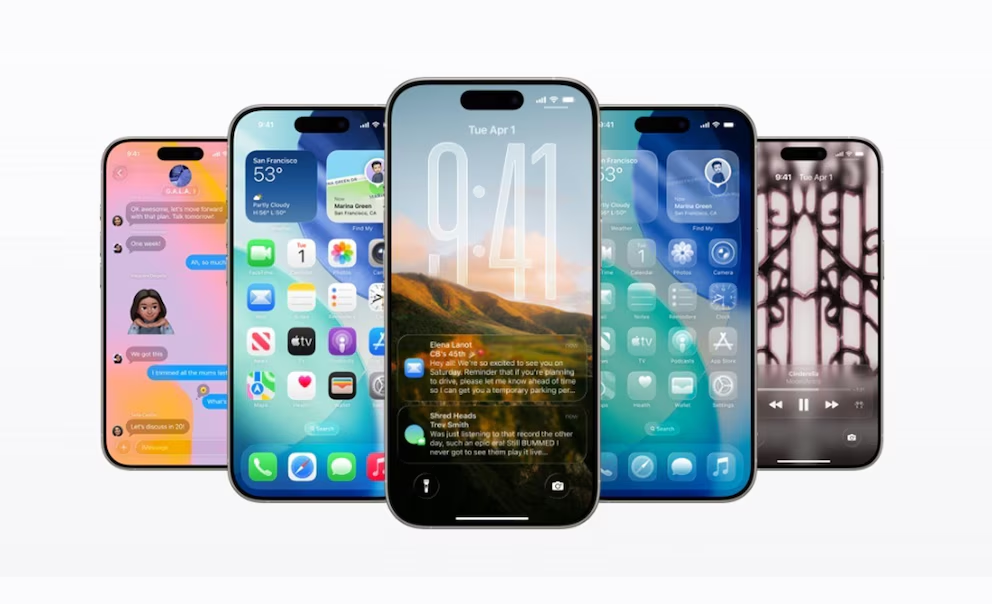
Small changes to your Home Screen can improve everyday focus.
CUPERTINO, California. A cluttered iPhone Home Screen can make everyday tasks unnecessarily complicated, encouraging users to navigate through multiple pages of applications and potentially encounter distractions along the way. Apple’s built-in organization tools offer a practical way to simplify smartphone use without installing additional software.
As mobile devices become increasingly central to communication, work and entertainment, managing how applications appear on the screen can influence the way people interact with their phones.
One approach involves keeping only frequently used applications on the main Home Screen. Essential tools such as messaging, calendars, email and navigation can remain immediately accessible, while entertainment and occasionally used services can be moved elsewhere.
Apple allows users to rearrange applications by touching and holding the Home Screen until the icons begin moving. From there, apps can be repositioned, transferred between pages or placed in the Dock at the bottom of the display.
The Dock accommodates four applications, making it a convenient location for services needed throughout the day.
Folders provide another organizational option. By dragging one application onto another, users can create groups for categories such as productivity, finance, travel or social media.
This approach reduces the number of individual icons visible while preserving access to installed applications.
The App Library offers an alternative for users seeking a more minimalist interface. Introduced with iOS 14, it automatically organizes applications into categories and includes a search function for locating individual services.
Removing an application from the Home Screen does not necessarily delete it from the device. Users can select the option to remove it from the Home Screen while keeping it available through the App Library.
Entire Home Screen pages can also be hidden, allowing users to maintain different layouts without permanently removing their applications.
Widgets provide another opportunity to simplify daily routines. Calendar appointments, weather information and reminders can appear directly on the Home Screen, potentially reducing the need to open multiple apps.
For users seeking stronger boundaries between professional and personal activities, Apple’s Focus feature can help manage notifications and display selected Home Screen pages during particular activities.
However, rearranging icons alone does not guarantee improved concentration. Notifications, habitual checking and application design can continue encouraging frequent phone use.
A more effective strategy combines a simplified layout with regular reviews of installed applications and thoughtful notification settings.
The objective is not to eliminate useful technology but to make smartphone interactions more deliberate.
By reducing unnecessary visual clutter and prioritizing essential tools, iPhone users can create a digital environment that better supports their routines and personal preferences.
Where Innovation Meets Responsibility.